Your phone can have full battery, a good data plan, and still leave you staring at a blank map halfway through an Iceland road trip. Coverage is generally reliable around towns and main roads, but it can weaken in mountain valleys, along remote coastlines, and in the Highlands. Knowing how to use offline maps before you leave makes those quiet stretches simpler.
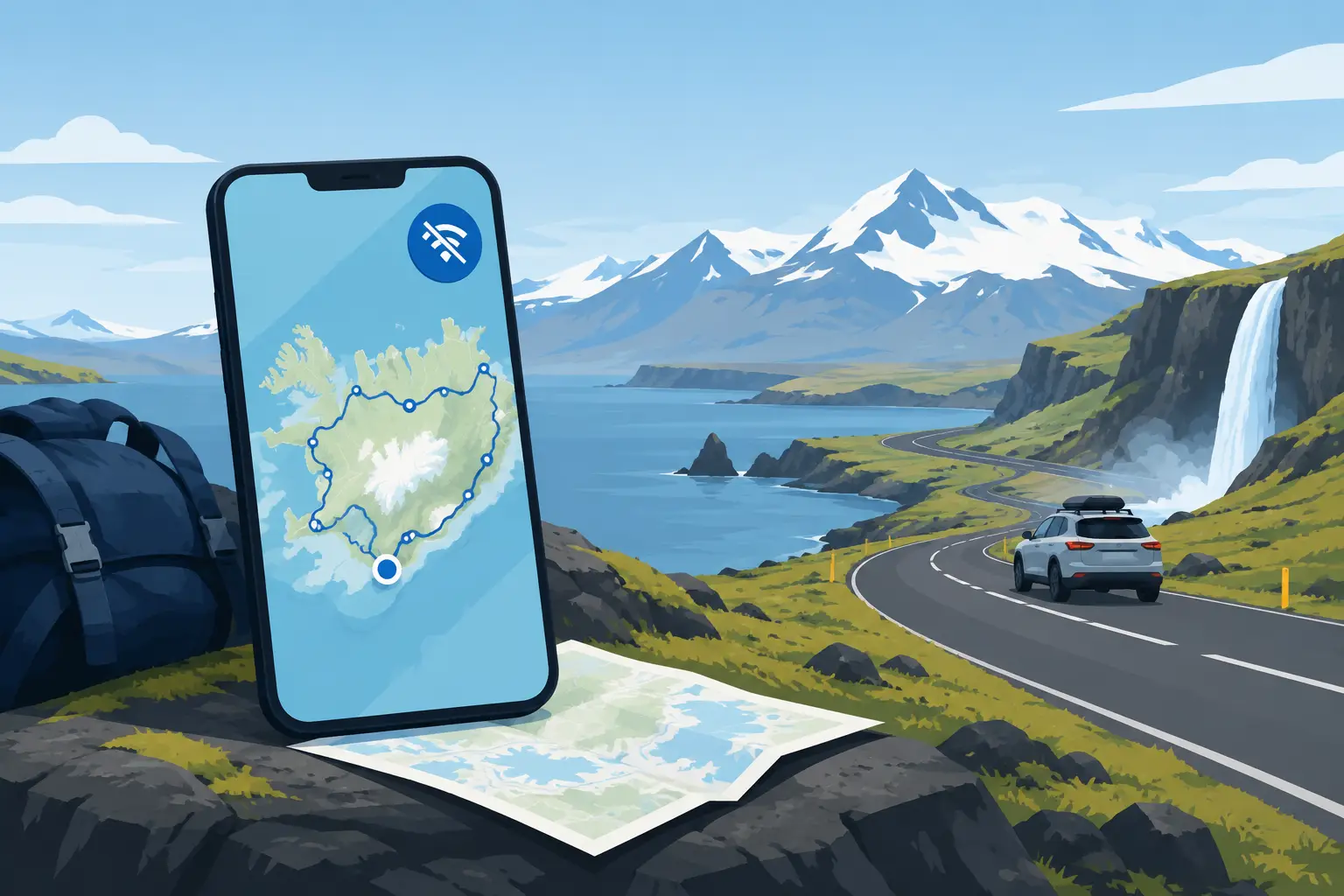
Offline maps are not just a backup for getting from one waterfall to the next. They help you find your campsite before dark, keep track of fuel stops, and stay oriented when weather changes the plan. Download them while you have Wi-Fi, set them up properly, and your phone becomes a useful navigation tool even without service.
Why offline maps matter in Iceland
Iceland is built for self-drive travel, but it is not a place to rely on a signal appearing exactly when you need it. On the Ring Road, you may have coverage for most of the drive. Turn toward the Westfjords, drive a long gravel road, or head into the Highlands on an open F-road, and the connection can become patchy or disappear.
That does not mean every route is difficult. It means you should plan for the moments when you cannot quickly search for the nearest gas station, campground, or alternate road. An offline map gives you a reference point without using mobile data or depending on a local network.
It is also useful when traveling with a 4×4 camper. Your vehicle gives you freedom to change plans, stay longer somewhere beautiful, or choose a different campsite for the night. A saved map helps you make those choices without rushing toward the next town just to reconnect.
How to use offline maps before your trip
The best time to set up maps is before you fly, or while you are connected to reliable Wi-Fi at your first accommodation. Most major mapping apps let you download a selected area to your phone. Choose an area large enough to cover your intended route, plus a little extra around it.
For a full Ring Road trip, download Iceland in sections if your app has size limits. If you plan to visit the Snæfellsnes Peninsula, the Westfjords, the Eastfjords, or the Highlands, save those areas separately. Do not assume a map of Reykjavík and the Golden Circle will cover the rest of the country.
Once the map is downloaded, search for your planned stops while you are still online. Save them to a list or mark them as favorites. Include your first night’s campsite, fuel stations, grocery stores, major trailheads, and backup places to sleep. This takes only a few minutes and saves a lot of uncertainty later.
Before you leave Wi-Fi, test the setup. Turn on airplane mode, open the app, and search for a saved destination. Start a sample route. If it loads, your map is ready. If it does not, download the missing region or check whether the app requires an additional setting for offline navigation.
Save more than the famous stops
Popular landmarks are usually easy to find. The practical stops are the ones travelers forget until they need them: a fuel station before a long remote stretch, a supermarket with evening hours, a public restroom, or a campsite that is actually open for the season.
Your saved places do not need to create a rigid itinerary. Think of them as options. Mark two or three possible overnight areas along each section of your route, especially if you are traveling in shoulder season or expect weather to affect your driving time.
Set up your maps for real road-trip use
A downloaded map is only useful if you can read it quickly. Keep your home screen simple and place your navigation app somewhere easy to reach. Bring a charging cable that works in the vehicle, because constant GPS use can drain a phone faster than expected, even when the map itself is offline.
Download your route before starting each driving day. GPS can still show your position without cell service, but route recalculation may be limited depending on the app. If you miss a turn on a remote road, stop somewhere safe and check the map rather than making a sudden turn or guessing.
It also helps to download an offline translation option and save key details in your notes app: your rental information, campsite reservations if you have them, emergency contacts, and the names of your next destinations. Screenshots are useful for confirmation emails and campground instructions when data is unavailable.
For a practical offline setup, keep these items ready:
- Downloaded map regions for your full route and nearby detours
- Saved pins for campsites, fuel, groceries, and planned sights
- A car charger and a backup battery pack
- Screenshots of bookings, pickup instructions, and important phone numbers
- A paper road map or printed route notes for a second backup
No queues. No waiting. No need to depend on one app for every answer.
Use offline maps with Iceland road conditions
Offline maps show where roads are, but they do not always tell you whether a road is currently open, passable, or suitable for your vehicle. That distinction matters in Iceland.
Road conditions can change with wind, rain, snow, river levels, and maintenance work. F-roads are seasonal mountain roads that require a suitable 4×4 vehicle, and some include river crossings. A map route is never permission to drive a road. Check current official road and weather information before setting out, especially when heading away from the Ring Road.
Use the offline map to understand the bigger picture. You can see where a road leads, estimate the distance to the next town, and identify possible turnarounds. Then use current road updates to decide whether you should actually take that route.
The same applies to driving times. Mapping apps can underestimate Iceland routes because they do not always account for gravel surfaces, narrow roads, photo stops, sheep near the road, or weather. Build extra time into every day. If the map says two hours, treat that as a starting point, not a promise.
Keep your route flexible, not vague
Flexibility is one of the best parts of camping in Iceland. It works best with a basic plan behind it. Know your next fuel stop, know where you can sleep, and know which road you will use if your first choice closes.
If weather turns bad, it is often smarter to stay put, shorten the day, or return to a main road. Your camper is your transport and your place to sleep, so you have options that a fixed hotel itinerary may not offer. A well-prepared offline map supports that freedom without encouraging unnecessary risk.
A simple daily routine for offline navigation
Each morning, take two minutes before driving. Check current conditions, confirm your next overnight area, and make sure your phone is charged. Open your navigation app while you still have service, enter the day’s destination, and review the route rather than blindly following it.
During the drive, glance at the map when you stop for photos or fuel. Notice how far you are from the next town and whether the road ahead has meaningful alternatives. In remote areas, do not wait until your fuel light comes on to search for a station. Fill up when it makes sense, particularly before long stretches through the Highlands or the Westfjords.
At the end of the day, use the map to locate nearby facilities for the following morning. A little preparation after dinner means less screen time and fewer decisions when you want to get moving early.
Black Sheep Campers is built around the idea that Iceland is better when you can travel on your own schedule. Offline maps are a small part of that independence, but they make a real difference. Download your route, save your essentials, keep your phone charged, and leave room for the unplanned stops that make the road trip yours.